Email over radio
Send and receive Winlink messages through your modem. A built-in RMS gateway list helps you pick a station and find a path when the band is open.
In alpha testing · Winlink (Pending approval) · PACTOR · RTTY · AMTOR · PSK31
Designed for SCS modems.
A modern rewrite of the classic Windows client, now on Windows, macOS and Linux. HFC drives your SCS PACTOR modem for radio email, live QSOs, RTTY, AMTOR and PSK31, and station-to-station image and QSL exchange.
What HFC does
Everything talks to your SCS modem, so switching between email, a ragchew, and RTTY doesn't mean switching programs.
Send and receive Winlink messages through your modem. A built-in RMS gateway list helps you pick a station and find a path when the band is open.
Ragchew in real time over a PACTOR link. Type, send, and read the other station live — the way a conversation on the air should feel.
Classic Baudot RTTY with clean mark/space tuning. Decode and send teleprinter text alongside everything else HFC drives.
Run Amateur AMTOR in the same window as PACTOR and RTTY — an ARQ teleprinter mode that automatically resends what's missed.
Work PSK31 for narrow-bandwidth, weak-signal keyboard-to-keyboard conversations, using the same terminal and macros as your other modes.
HFC talks to your SCS modem the same way every other PACTOR program does — Alpha/Simple32, MixW, Airmail, RMS Express, Paxon and the rest. Anyone you can already work on PACTOR, you can still work with HFC, no special setup either end.
Send a photo or a QSL card straight to another HFC station, and keep every card you receive in a browsable QSL album.
Bind the phrases you send most to the function keys. Call CQ, pass a report, or run a net without retyping the same lines.
Read and control your rig's VFO — through the modem's own CAT port, Hamlib's rigctld, or a FlexRadio's network API — so HFC and your radio always agree on exactly where you're listening.
Look up a callsign for country, name, QTH, locator, and a photo — plus distance and beam heading from your own grid square.
Every QSO lands in a simple ADIF log, one click from the lookup window — and can broadcast to Log4OM or Ham Radio Deluxe over your network as you go.
New — On the Air. Announce that you're calling CQ or in a QSO on a PACTOR frequency, and see a live list of other HFConverse operators doing the same. Double-click a spot to tune to them — a purpose-built alternative to announcing yourself in a chat group.
See who's on the airPick a callsign, or any callsign, and a band, or any band. Your phone or desktop gets a notification when that station appears on the On the Air list in PACTOR, or moves to a new band.
Pushover is a one-time payment of US$4.99 per platform (iPhone/iPad, Android or desktop), paid to Pushover — not to HFConverse. PACTOR spots only for now.
What an alert looks like
Tap an alert to open the On the Air list.
Match your shack. HFC follows your system theme, or you can set light or dark to taste — try the toggle at the top of this page.
One codebase built on .NET 8 and Avalonia UI, so the app looks and behaves the same on any of the three in the shack.
No licence fee, no account, no trial. If HFC earns a place on your desk, donations are welcome — but never asked for twice.
Station to station
When two HFC stations are linked, you can pass an image or a digital QSL card directly across the PACTOR connection.
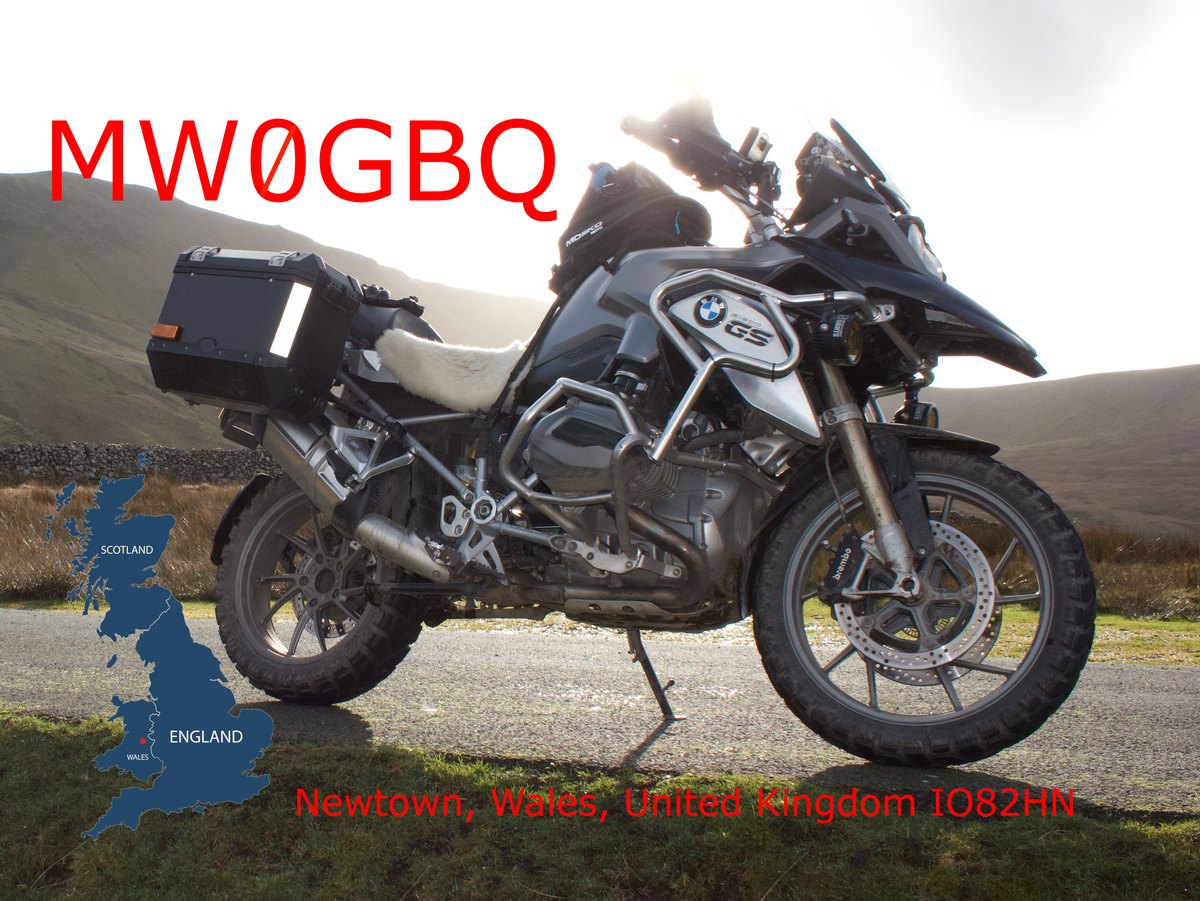
Cards you receive — like this one from MW0GBQ — land in your QSL album, filed by callsign and date, so the log and the confirmation live in the same place. Design your own card once and send it for every contact.
Card and image exchange is an HFC-to-HFC bonus feature — a QSO with any other PACTOR program still logs and confirms normally, it just won't trade cards this way.
Before you start
HFC is built for a specific job, so the shopping list is short and honest.
HFC is a tool for licensed operators transmitting on the amateur bands. If you hold a callsign, you're the intended pilot.
HFC is designed around SCS hardware — built for these modems, not adapted to them. Supported: the PTC-IIusb, PTC-IIIusb, P4 Dragon (DR-7800/DR-7400) and PXdragon DR-9400 — the two newest have a couple of firmware-level limitations, covered in full in the manual. Below are the models operators have confirmed working on the air; the list grows as people report what they're running.
Tested modems
Any rig you'd normally run digital modes on. If it exposes a CAT interface, HFC can read and set frequency for you; if not, everything else still works.
A current Windows, macOS, or Linux machine with the .NET 8 runtime. The interface is built on Avalonia UI, so it feels native on all three.
Get HFC
HFC is being put through its paces by a small group of licensed amateurs on real stations. Public downloads for Windows, macOS and Linux will appear here once testing is done.
There's no date yet — it'll be ready when it's right. Subscribe to updates and you'll get an email the day it's out.
HFC is free, and it stays free. It's closed-source while it's under active development, and will be opened up once it's no longer actively maintained. If it's useful to you, a donation is appreciated — but you'll never get a pop-up asking for one.
DonateGet in touch
Found a bug, running a modem that isn't on the tested list yet, or just want to say hello on the air? Send a note straight from here — it goes to the author over a secure connection, and any reply comes back to your inbox.
Stay updated
Occasional updates when a new build, mode, or feature ships. No spam, unsubscribe any time.