Keyboard-to-keyboard QSOs
Live, error-free contacts at PACTOR 1 to 4, depending on your modem. CQ, Unproto, Listen, live text, PACTOR duplex, and scanning your favorites.

Public beta · PACTOR · AMTOR · RTTY · PSK31 · Packet · Fax
SCS PACTOR modem control for Windows, macOS and Linux.
A free program that puts PACTOR keyboard-to-keyboard QSOs, AMTOR, RTTY, PSK31, Packet and weather fax in one place, with image and QSL exchange, macros, logging, radio control and a live On the Air list.
What HFC does
Choose a mode from the Mode menu and switch straight to another. HFC closes the current mode properly first.
Live, error-free contacts at PACTOR 1 to 4, depending on your modem. CQ, Unproto, Listen, live text, PACTOR duplex, and scanning your favorites.
AMTOR ARQ contacts called by SELCALL, an FEC CQ broadcast anyone can read, and NAVTEX listening.
45 and 50 baud for amateur contacts, plus wide 450 and 850 Hz shifts for receiving weather and commercial stations.
Around 60 Hz wide and good in the noise, with carrier tuning to the hertz and dial stepping to find signals.
Robust Packet (R300 / R600) and 300 Bd packet, keyboard to keyboard with one station, in the same window style as PACTOR, RTTY and PSK31.
Receives HF weather fax from your radio's audio and draws each chart line by line. It only listens, so it works with every modem.
Type the modem's own commands when you want to, with a quick-command panel and favorites scanning from here too.
PACTOR, AMTOR and RTTY run in the modem's own firmware, so the other operator can use Airmail, MixW, Alpha/Simple32, Paxon or any other program. Only QSL card and image exchange need HFC at both ends.
Beyond the modes
rigctld) or the FlexRadio API, including PTT and CAT-driven mode change.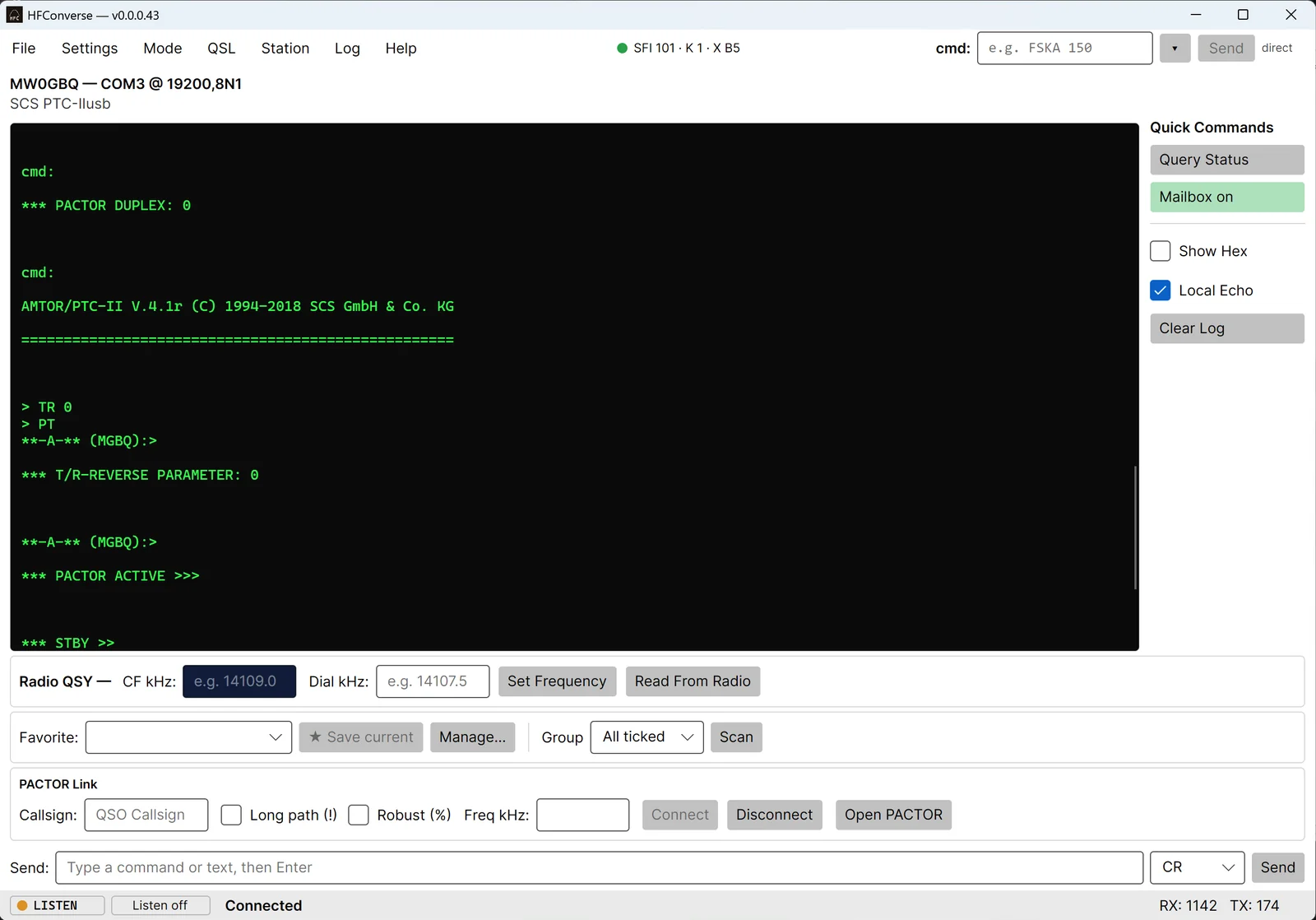
New in recent versions
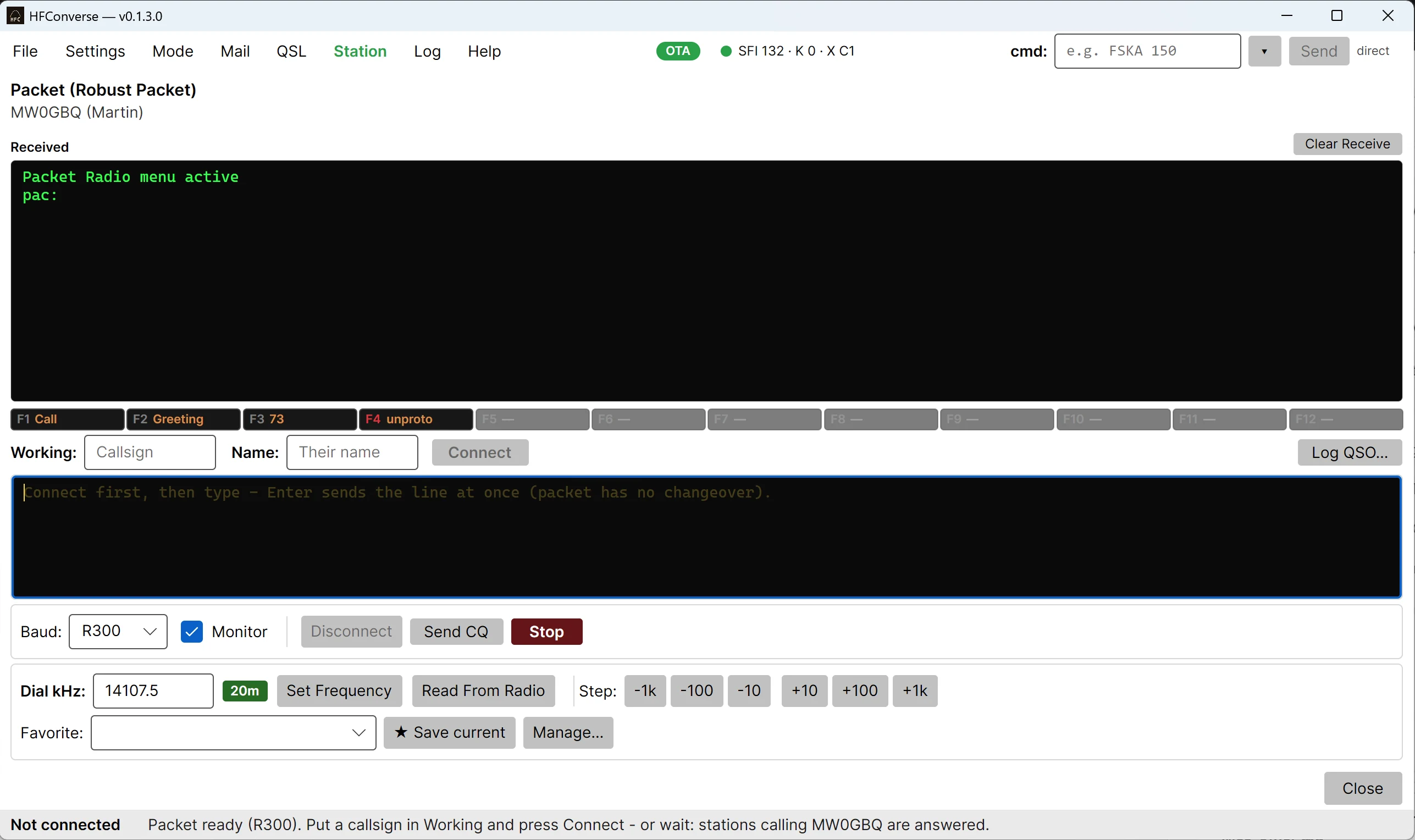
Mode › Packet puts your SCS modem into packet and gives you a keyboard-to-keyboard screen for one station at a time.
Robust Packet sits on 1500 Hz audio, on USB, and is about 500 Hz wide. A radio set up for PACTOR is already set up for it.
Modems: PTC-IIe, PTC-IIex, PTC-IIusb and PTC-IIIusb (Robust Packet needs firmware 3.6 or later on the PTC-IIusb), the P4 Dragon (DR-7400 / DR-7800) and the DR-9400. Details in the modem table and in the User Manual, section “Packet (Robust Packet)”.
Fax stations, mostly weather services, send charts and other images by fax on shortwave to a fixed timetable. HFConverse receives them from your radio's audio and draws each fax line by line as it comes in.
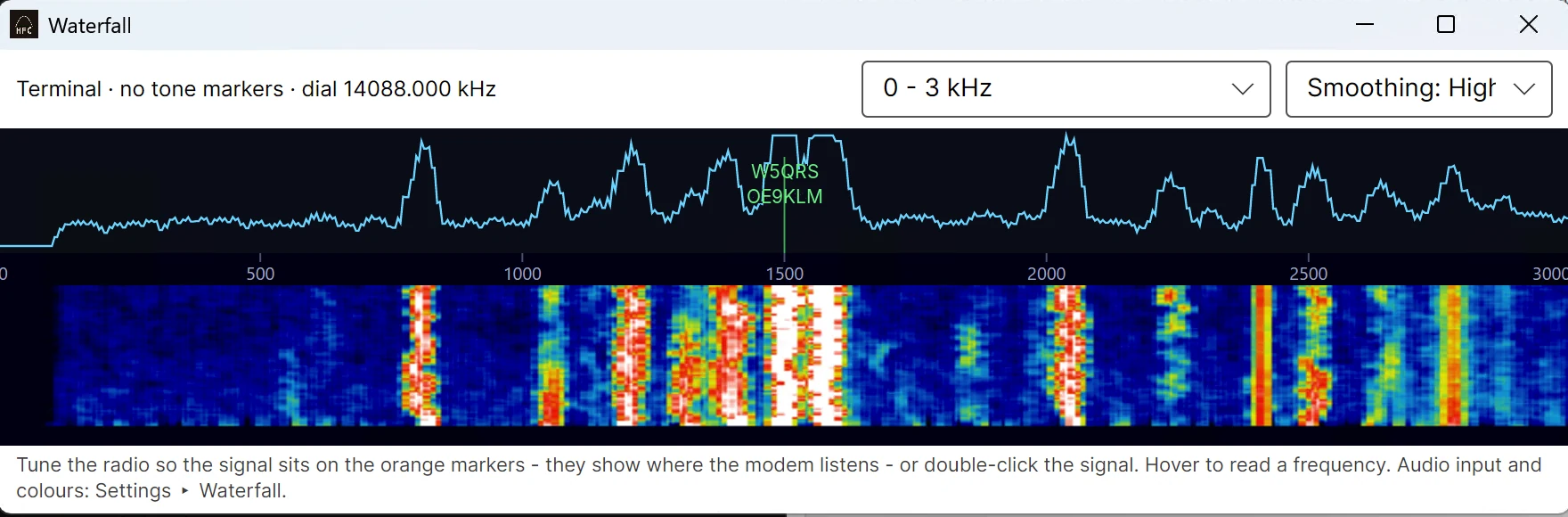
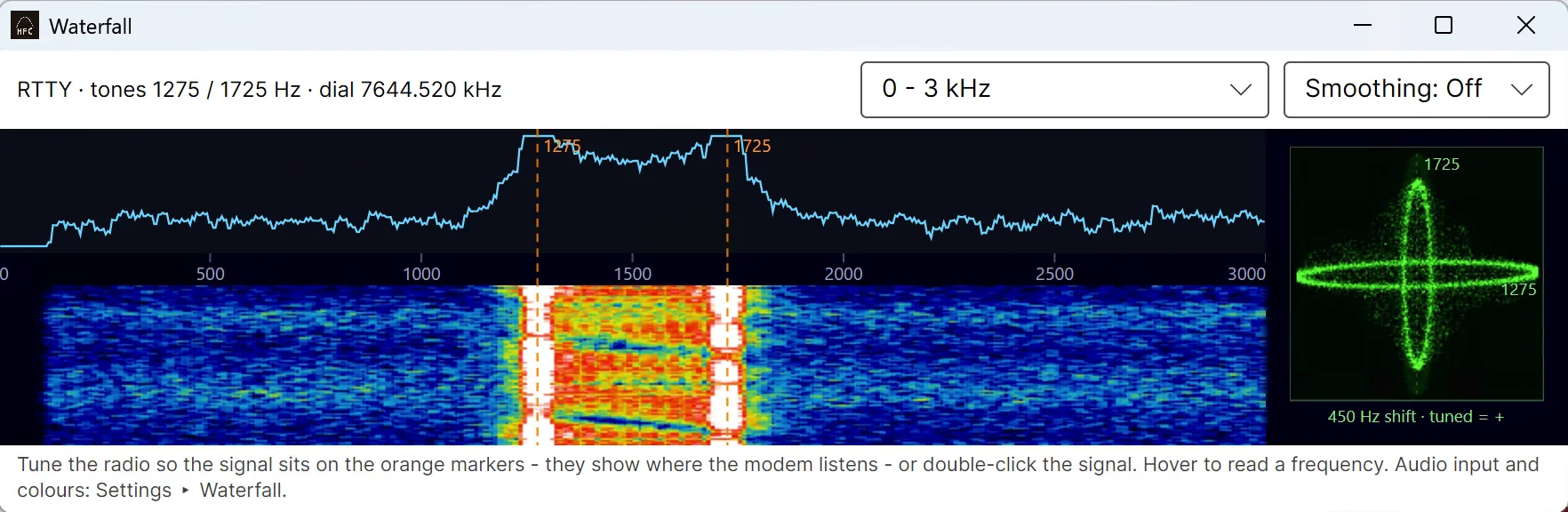
HFConverse can now show the receive audio from your radio as a waterfall. The modem's tones are marked, so you can see at a glance whether a station is on frequency.
The audio comes from the radio's own USB sound card, another sound card, or a FlexRadio DAX channel. Choose it in Settings › Waterfall. The modem still does all the decoding; the waterfall is there to help you tune.
How a PACTOR QSO goes
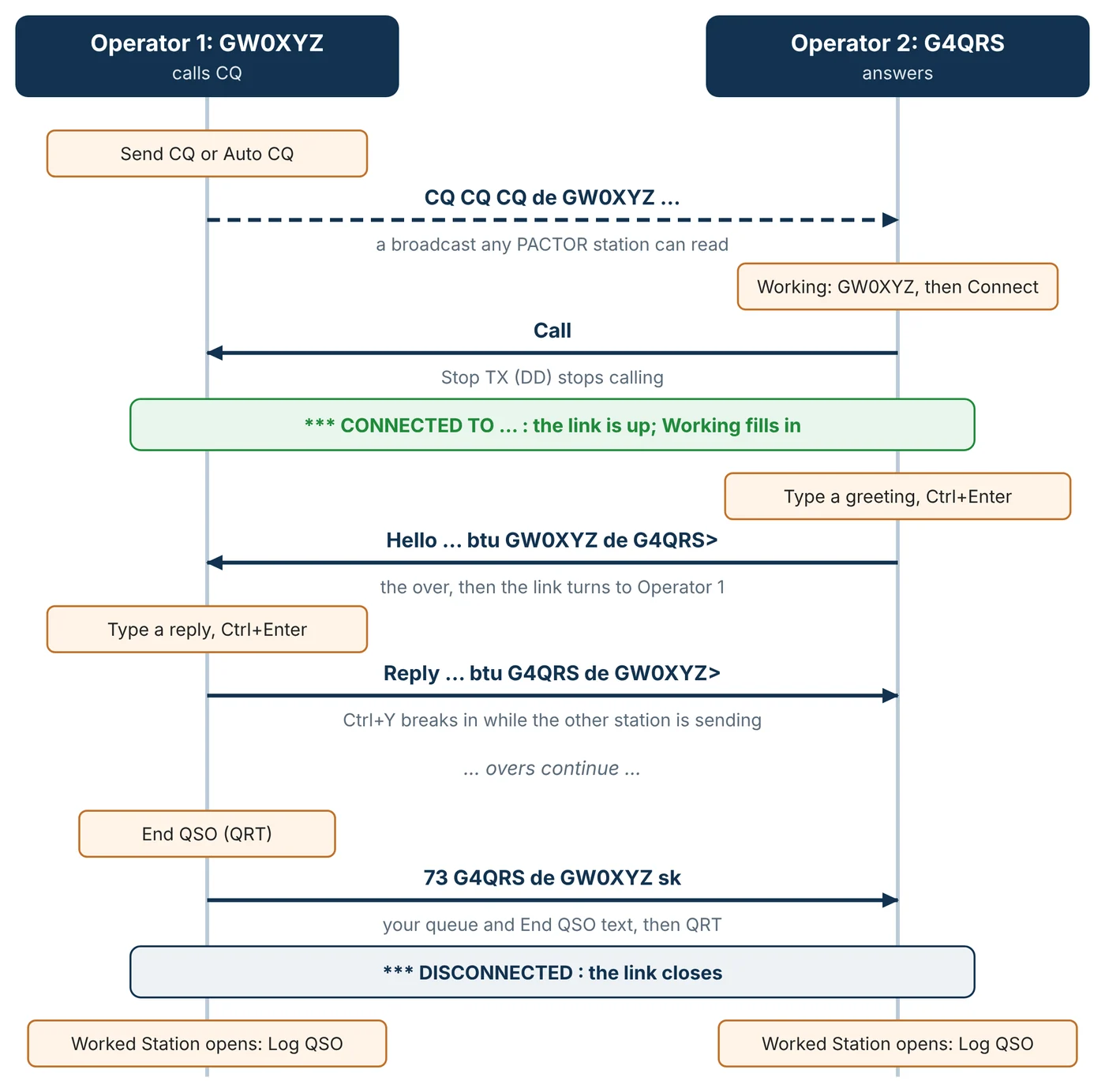
PACTOR is a connected mode. You link to one station, the modem takes turns for you, and every character arrives error-free.
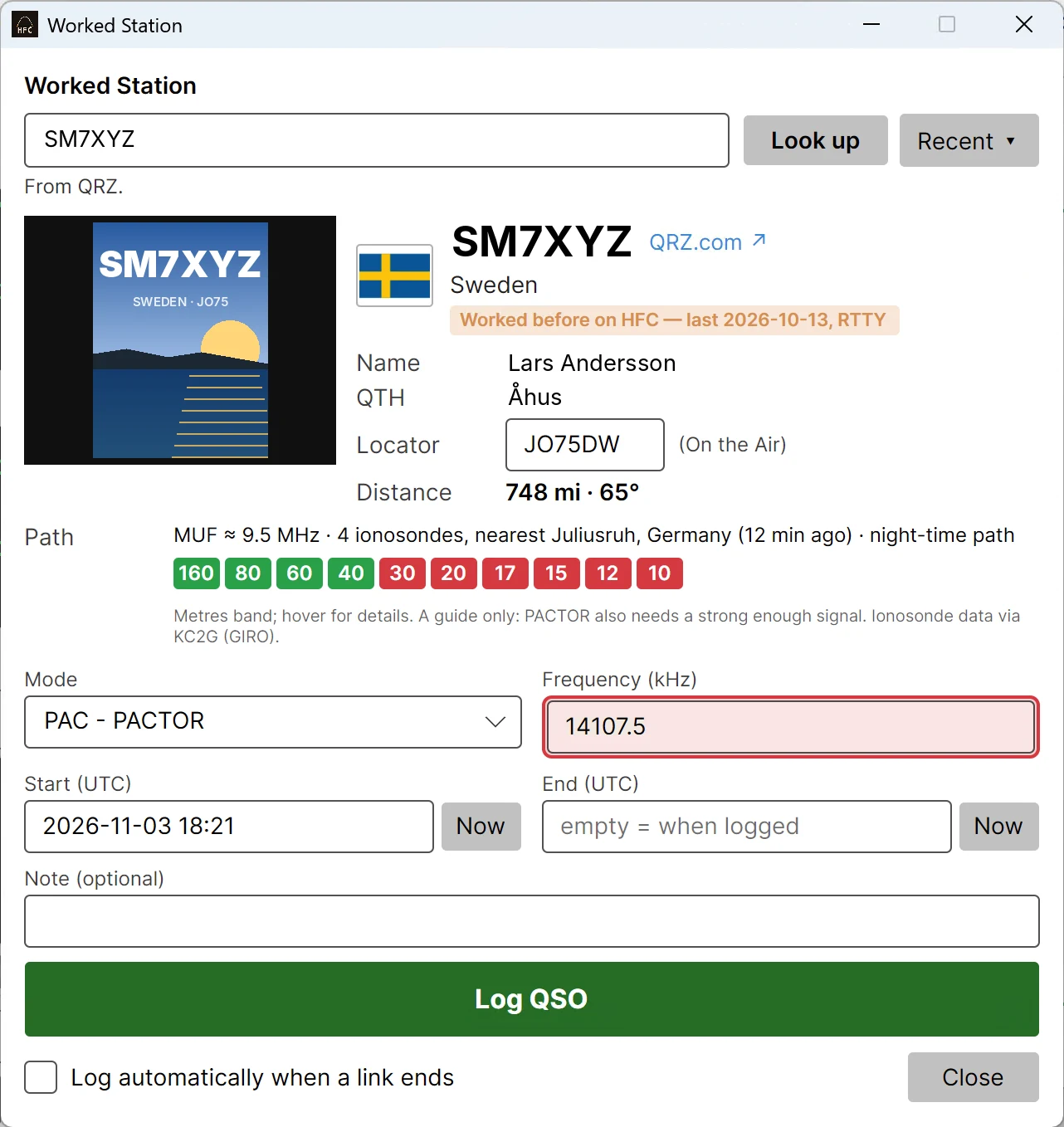
One station calls CQ. The other puts that callsign in Working and presses Connect. Once *** CONNECTED appears, each side types an over and presses Ctrl+Enter. End QSO sends your 73 and closes the link, and Worked Station opens so you can log it.
On the Air
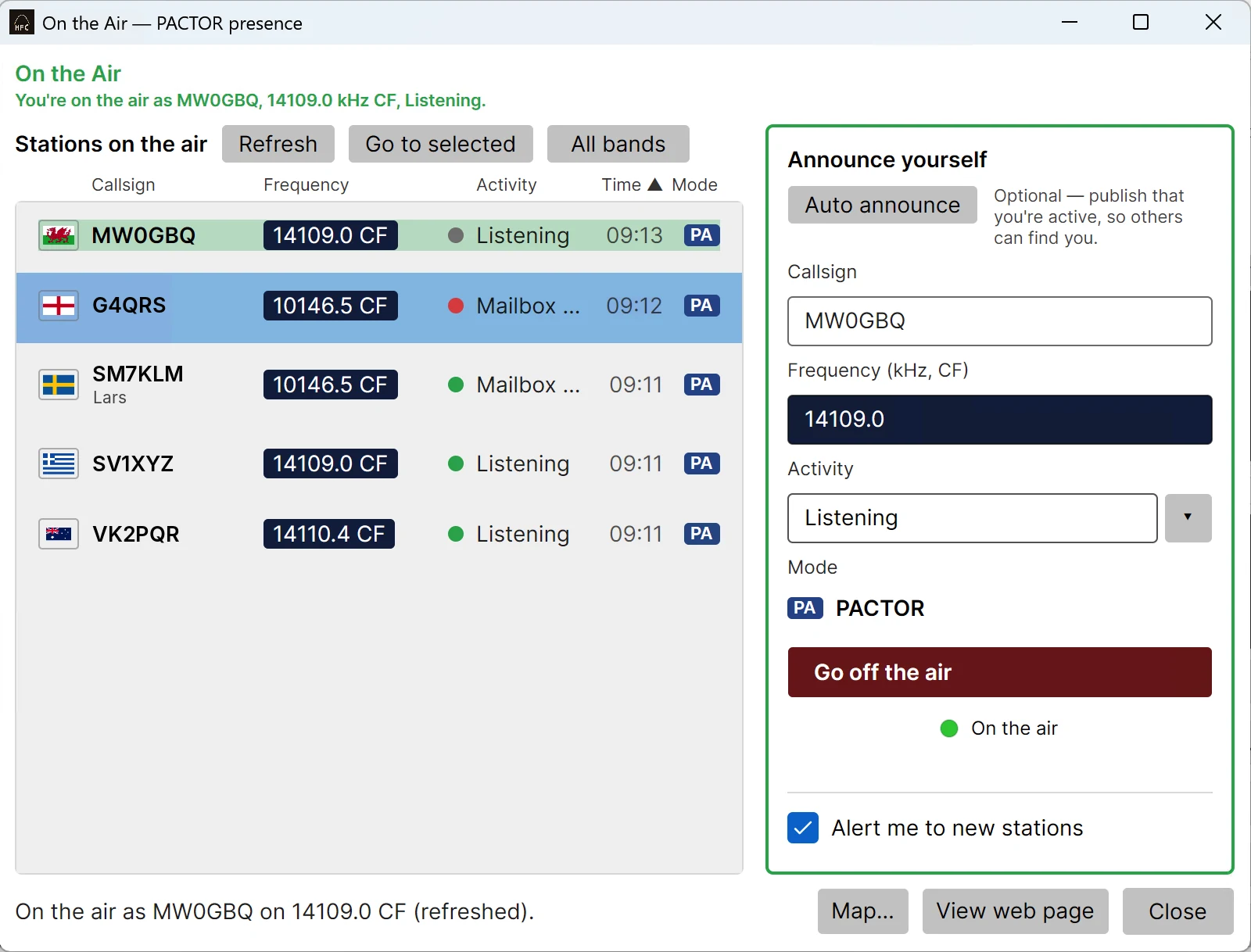
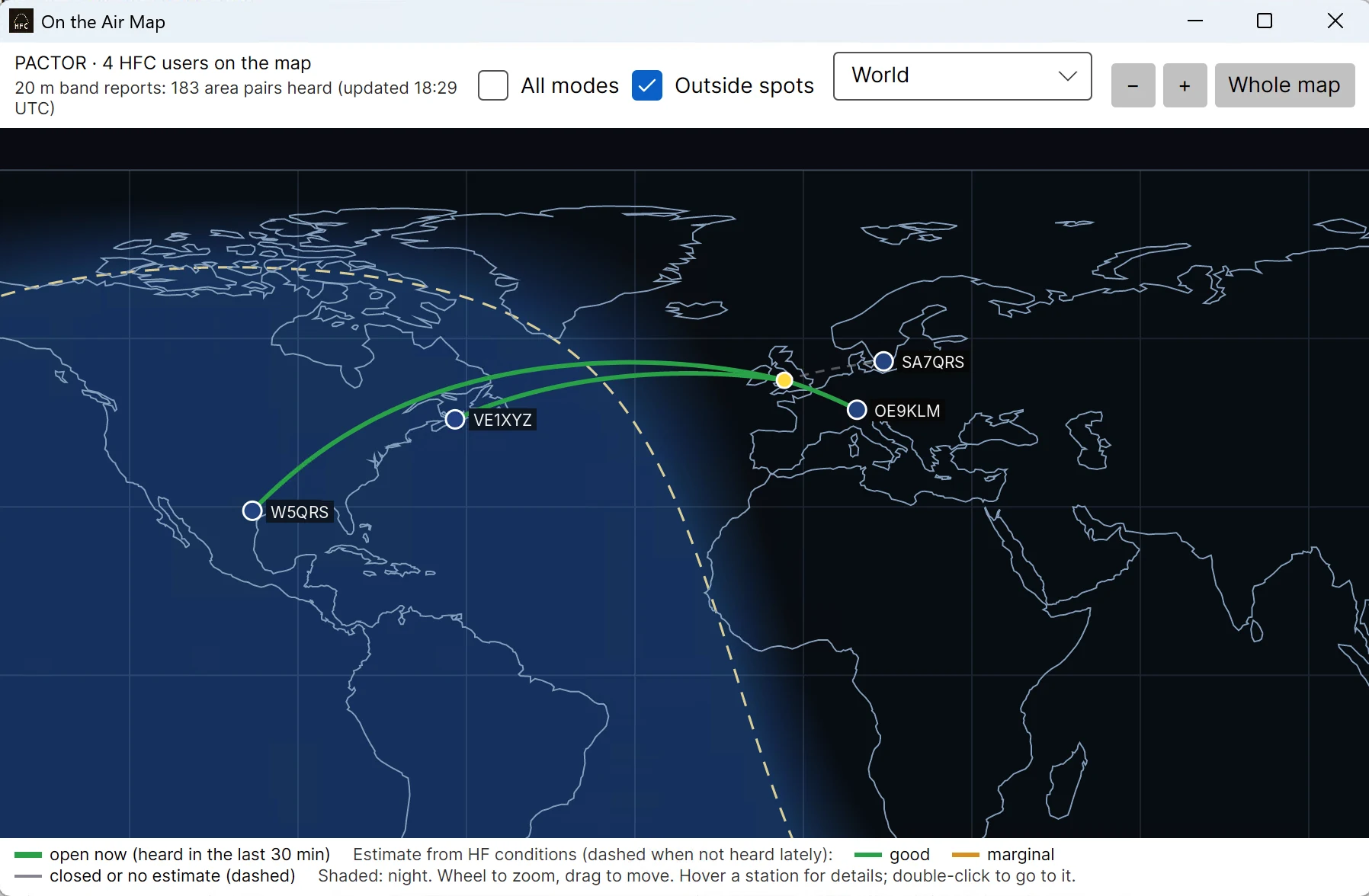
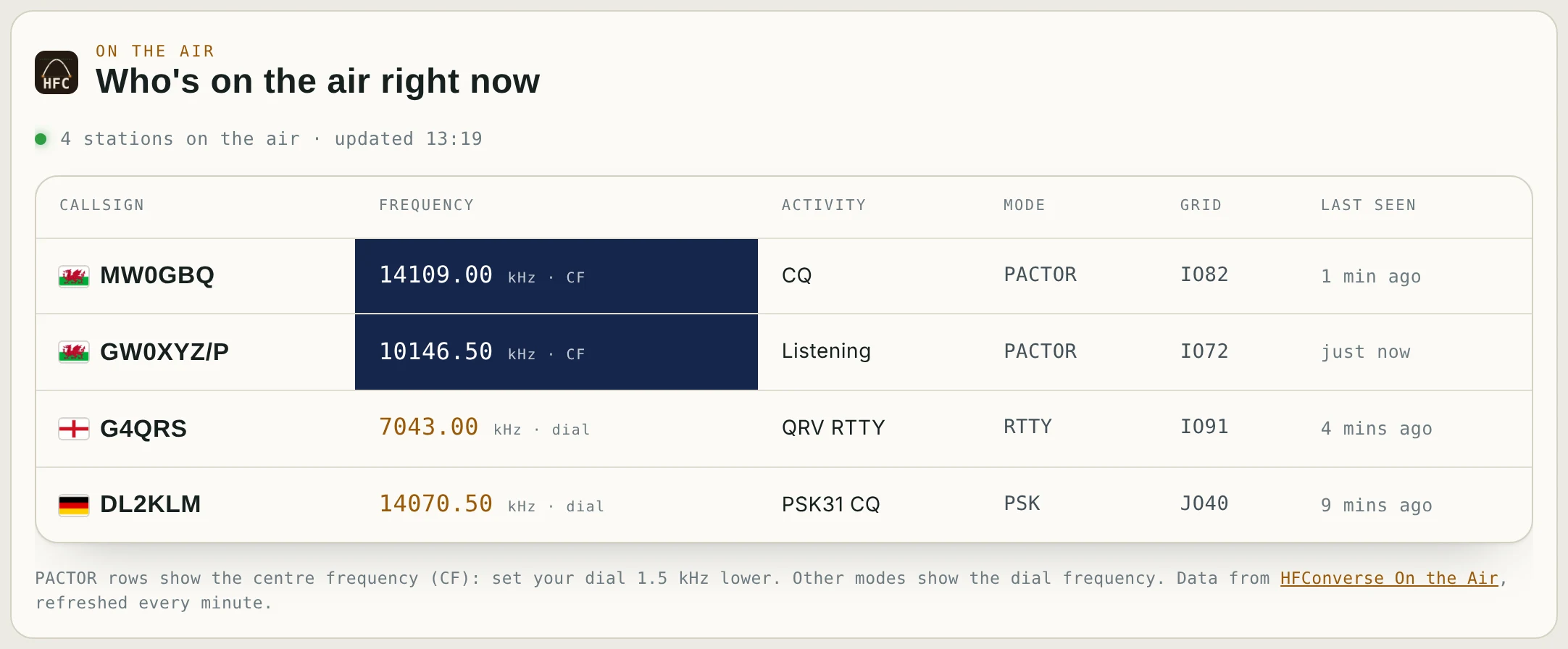
Announce your PACTOR frequency from HFC and see every other HFConverse operator who's on: in a live list, and on a world map with the paths that are open now.
Announce that you're calling CQ or in a QSO on a PACTOR frequency, and see a live list of other HFConverse operators doing the same. Click a spot and HFC sets your frequency so you can work them.
The On the Air Map puts the HFConverse users from On the Air on a world map. It shows the users on the mode of the screen you have open, or all modes if you prefer. Open it from Station › On the Air Map, or with Map… in the On the Air window.
HFConverse never contacts PSKReporter itself. The HFC server collects the reports once and shares them with every HFConverse, and HFC only asks while the map is open.
Pick a callsign, or any callsign, and a band, or any band. Your phone or desktop gets a notification when that station appears on the On the Air list in PACTOR, or moves to a new band.
Pushover is a one-time payment of US$4.99 per platform (iPhone/iPad, Android or desktop), paid to Pushover — not to HFConverse. PACTOR spots only for now.
What an alert looks like
Tap an alert to open the On the Air list. CF or dial?
Run Node-RED on a Pi, NAS or spare PC? Import our free flow and the On the Air list appears on your own Dashboard 2.0 page, with alerts by Pushover, Telegram, ntfy or email when a station comes up or changes band. Filter by callsign, band and mode, with no account or key needed.
For Node-RED 3 or later with Dashboard 2.0. Free, like everything else here.
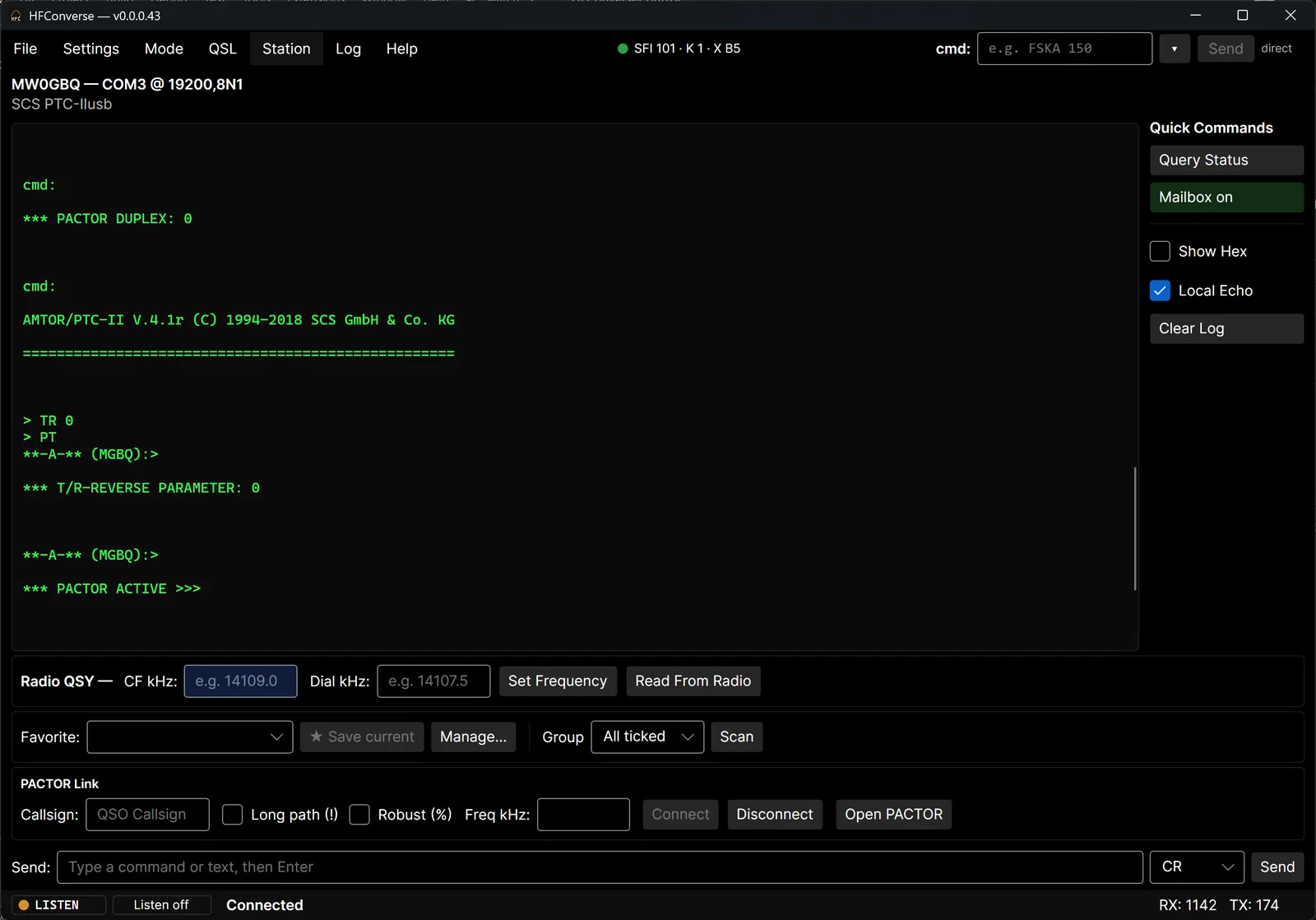
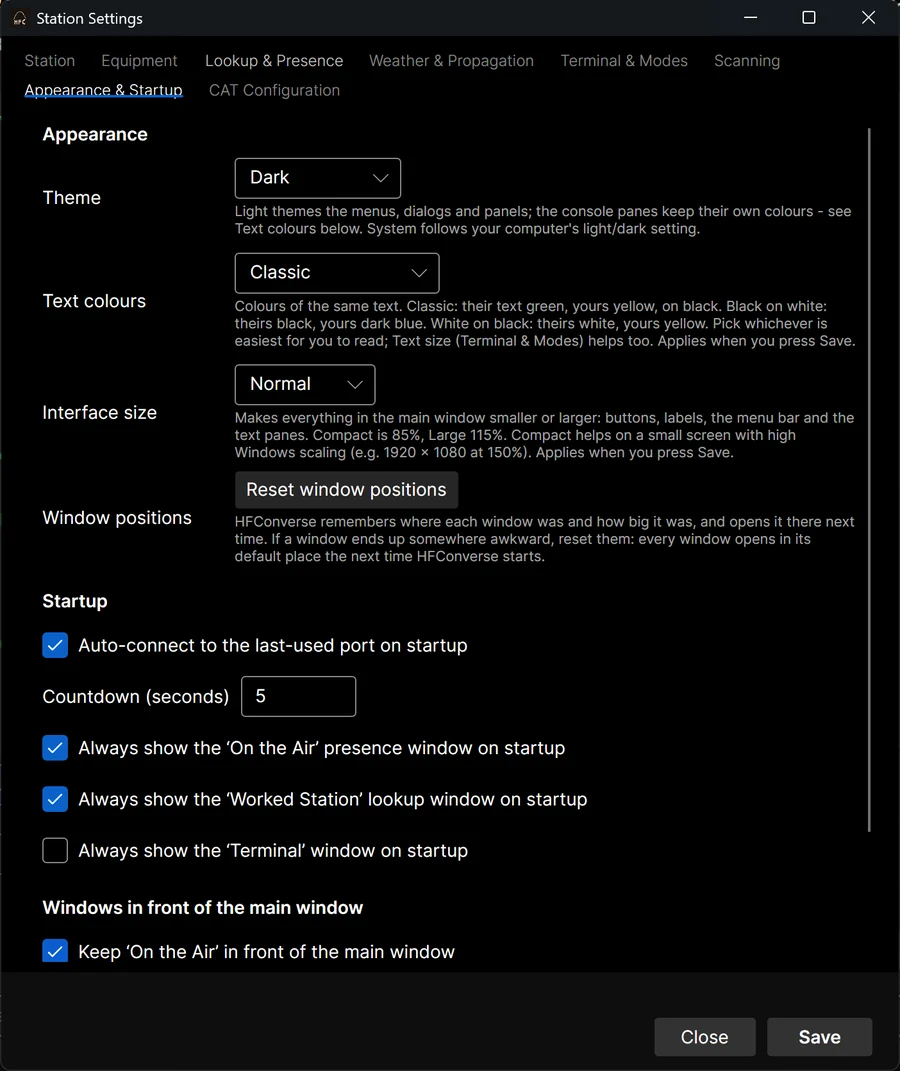
Match your shack. HFC follows your system theme, or you can set light or dark to taste — try the toggle at the top of this page.
The same program on all three, self-contained, so there's no separate .NET to install.
No licence fee, no account, no trial. An optional Donate item sits in the Help menu, with no nag screens.
Easier to read
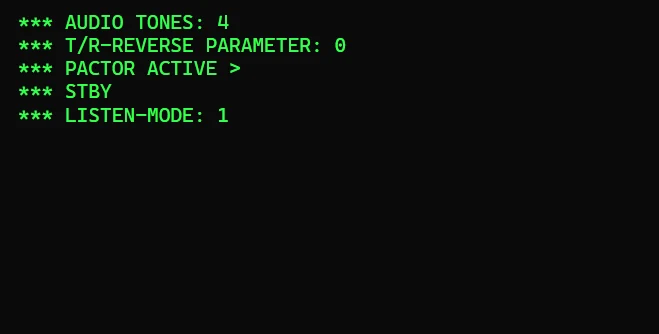
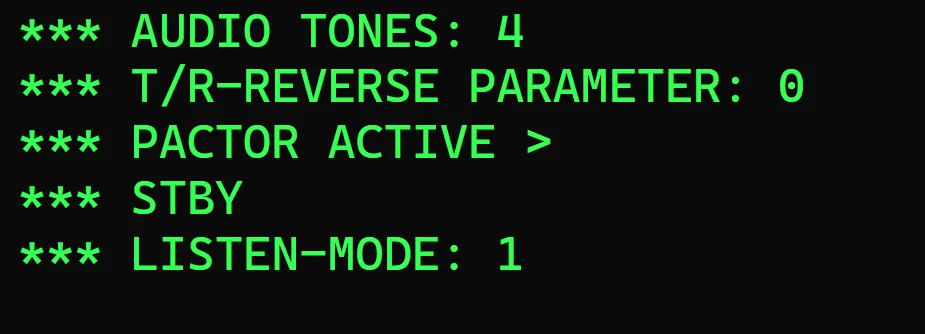
The classic green and yellow on black is hard on some eyes. In Settings › Appearance & Startup › Text colours you can pick Classic, Black on white, or White on black.
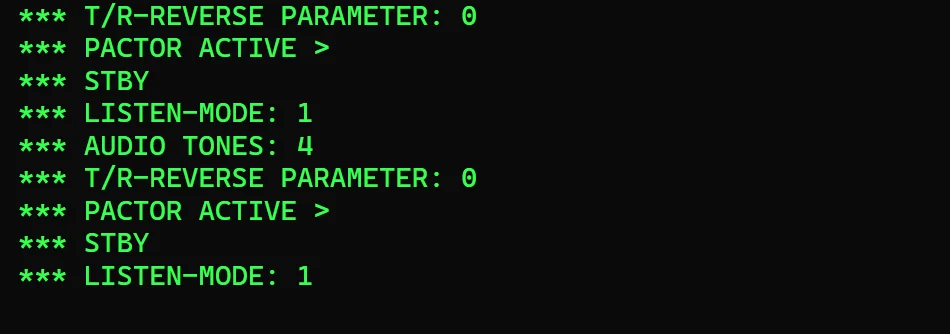
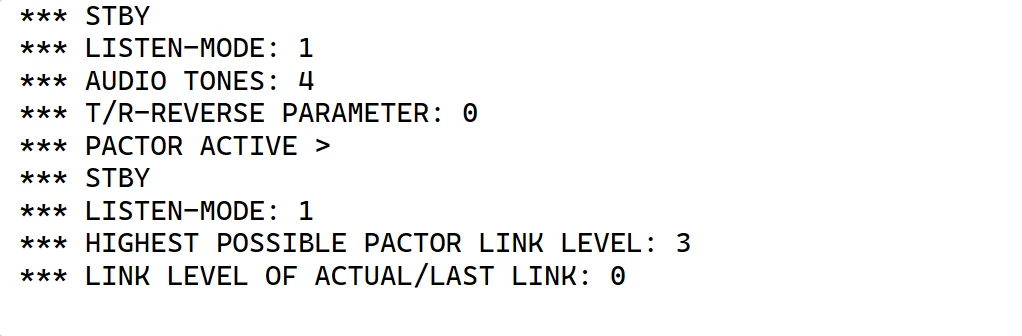
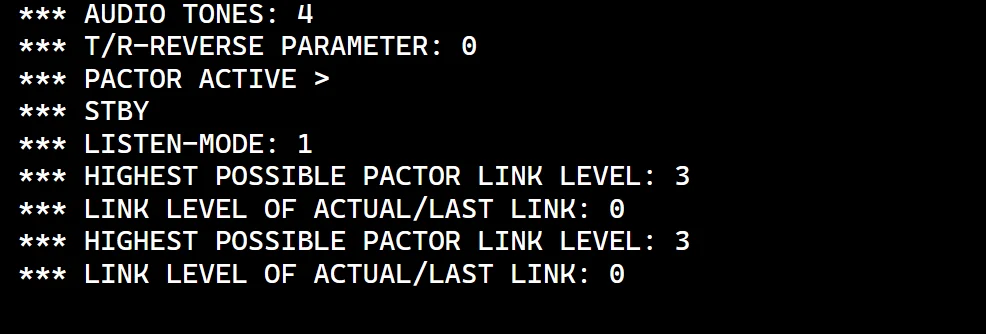
Set in Settings › Terminal & Modes, and works with any colour scheme. Shown at the same scale as the strips above.
Station to station
When two HFC stations are linked, you can pass an image or a digital QSL card directly across the PACTOR connection.
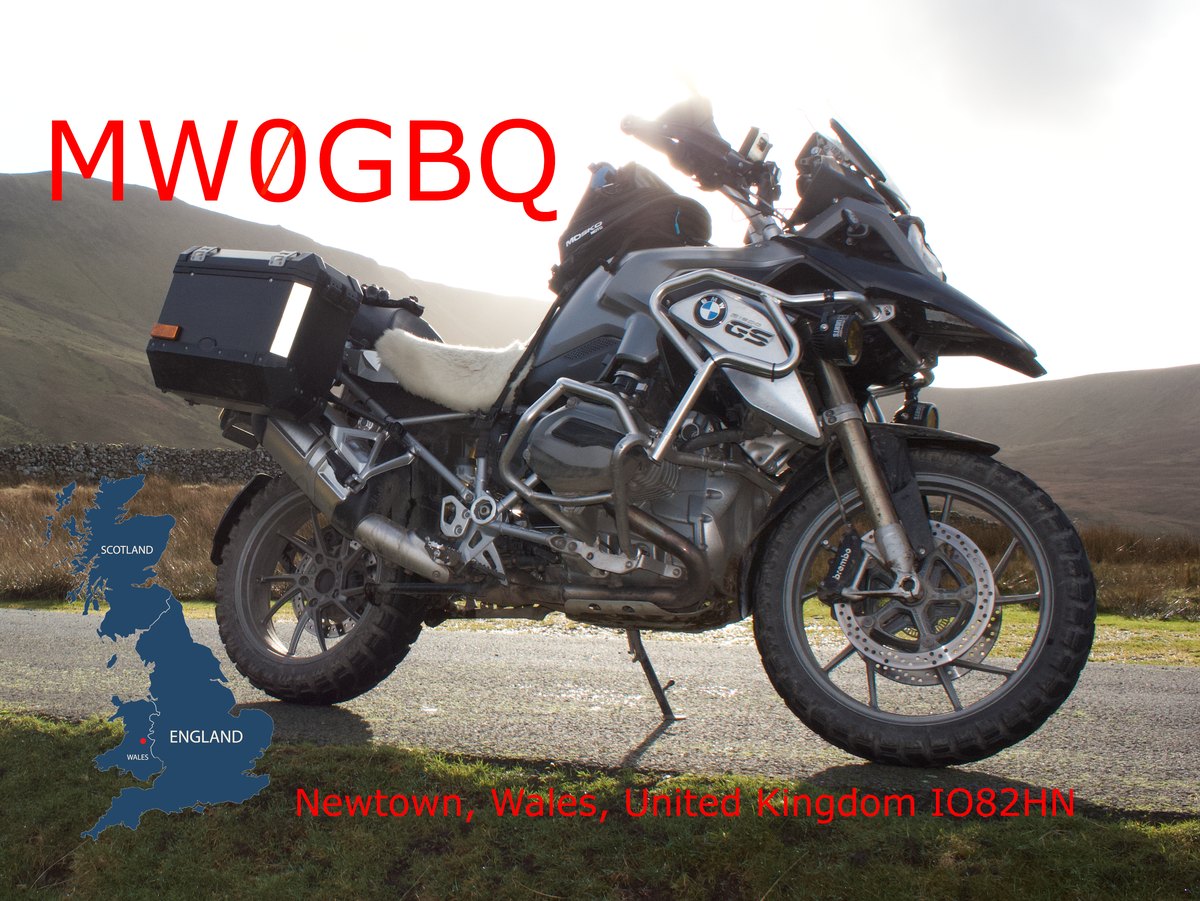
Cards you receive — like this one from MW0GBQ — land in your QSL album, filed by callsign and date, so the log and the confirmation live in the same place. Design your own card once and send it for every contact.
Card and image exchange needs HFC at both ends. A QSO with any other PACTOR program works and logs normally; it just won't trade cards or images.
Before you start
HFC is for licensed radio amateurs who own an SCS PACTOR modem and want live keyboard-to-keyboard contacts on HF.
You transmit under your own callsign, on the amateur bands, within your licence conditions.
Wired to the modem as normal for PACTOR and RTTY. HFC can set its frequency through the modem, Hamlib (rigctld) or the FlexRadio API. No radio control? Set the frequency by hand and everything else still works.
Connected by USB, RS-232 serial, Bluetooth (P4 Dragon) or the network (TCP). The seven supported models are in the table below.
Windows 10 or 11; macOS 11 Big Sur or later, Apple Silicon or Intel; or Linux x64 (ARM on request). HFC is self-contained, so no separate .NET install is needed.
Seven SCS models, in model order. Each was checked command by command against its SCS manual.
| Modem | PACTOR levels | AMTOR | RTTY transmit | Packet | Modem mailbox | Modem drives the radio (CAT) | Network (TCP) |
|---|---|---|---|---|---|---|---|
| SCS PTC-II / PTC-IIpro | 1–3* | Yes | Yes | No† | Yes | Yes | No |
| SCS PTC-IIe | 1–2 | Yes | Yes | Yes | Yes | No | No |
| SCS PTC-IIex | 1–3* | Yes | Yes | Yes | Yes | No | No |
| SCS PTC-IIusb | 1–3* | Yes | Yes | Yes‡ | Yes | Yes | No |
| SCS PTC-IIIusb | 1–3 | Yes | Yes | Yes | Yes | Yes | No |
| SCS P4 Dragon (DR-7800/7400) | 1–4 | No | Receive only | Yes§ | Via HFC‖ | Yes | DR-7800 with Ethernet |
| SCS PXdragon DR-9400 | 1–4 | No | Receive only | Yes | Via HFC‖ | No | Yes |
* PACTOR-3 needs SCS's Professional firmware licence. Without "Modem drives the radio", control the radio with Hamlib or the FlexRadio API, or set the frequency by hand.
† PTC-II / IIpro: packet only through the optional packet module on its own socket, which HFConverse doesn't use.
‡ Robust Packet on the PTC-IIusb needs firmware 3.6 or later; 300 Bd packet works without it.
§ P4 Dragon: Packet firmware for 300 Bd packet, RPR firmware (2.10 or later) for Robust Packet.
‖ The P4 Dragon and DR-9400 have no mailbox of their own; from HFConverse 0.1.4.0, HFC runs a PTC-style one. See the Dragon Mailbox guide.
Not supported: SCS PTC-Plus and Z80-PTC (PACTOR-1 only, no CAT). Other SCS models should be assumed unsupported.
Get HFC
After alpha testing on real stations, HFC is now open to every licensed amateur with an SCS PACTOR modem, on Windows, macOS and Linux. It's still beta software, so expect the odd rough edge — and please say when you find one.
Something not right? Use Help › Report a problem in HFC, or the report form if it won't start, and see what's already known on the bug reports list. New to HFC? Start with the Get Going guides.
A report contains your callsign, email address, the HFConverse version, your description, any screenshots you add and the latest diagnostic log, which records the commands sent to your modem and the text received during that session. Descriptions are shown publicly with their reference number; nothing else is. Privacy note.
Windows — installer (.exe) macOS (Apple Silicon) — zip macOS (Intel) — zip Linux x64 — zip Linux x64 — tar.gz Each button shows the file you'll get, version included. See Installing, below, for the first-run steps. The checksum under each button lets you confirm the download arrived intact. All five: SHA256SUMS.txt Alpha testers: your tester area and forum are still there.Windows gets an installer; macOS and Linux get a portable zip. Settings always live in a per-user folder, so installing, moving or uninstalling never touches them.
HFConverse-<version>-win-x64-Setup.exe
Run the installer. There's no code-signing certificate yet, so SmartScreen warns "unrecognized publisher": click More info, then Run anyway.
HFConverse-<version>-osx-arm64.zip (Apple Silicon) or …-osx-x64.zip (Intel)
Unzip, then run these one-time Terminal commands in the folder you unzipped to. The app isn't notarized yet, so Gatekeeper blocks it until you do.
xattr -cr HFConverse.app
chmod +x HFConverse.app/Contents/MacOS/HFConverseTerminal
codesign --force --deep --sign - HFConverse.app
open HFConverse.appHFConverse-<version>-linux-x64.zip or .tar.gz
Unzip (or tar xzf the .tar.gz) and run bash run.sh. For serial port access, add your user to the dialout group.
FTDI-based modems need no driver on Windows 10/11 or macOS. The P4 Dragon needs the SCS driver on the Mac, or can connect by Bluetooth.
HFC is free, and it stays free. It's closed-source while it's under active development, and will be opened up once it's no longer actively maintained. If it's useful to you, a donation is appreciated — but you'll never get a pop-up asking for one.
DonateGet going
Short Get Going guides take you from a connected modem to your first contact in each mode. The full manual covers every screen and setting.
Get in touch
Found a bug, a question about your modem, or just want to say hello on the air? Send a note straight from here — it goes to the author over a secure connection, and any reply comes back to your inbox.
Stay updated
Occasional updates when a new build, mode, or feature ships. No spam, unsubscribe any time.
Credits