 HFConverse
On the Air · Node-RED
On the Air in your own Node-RED.
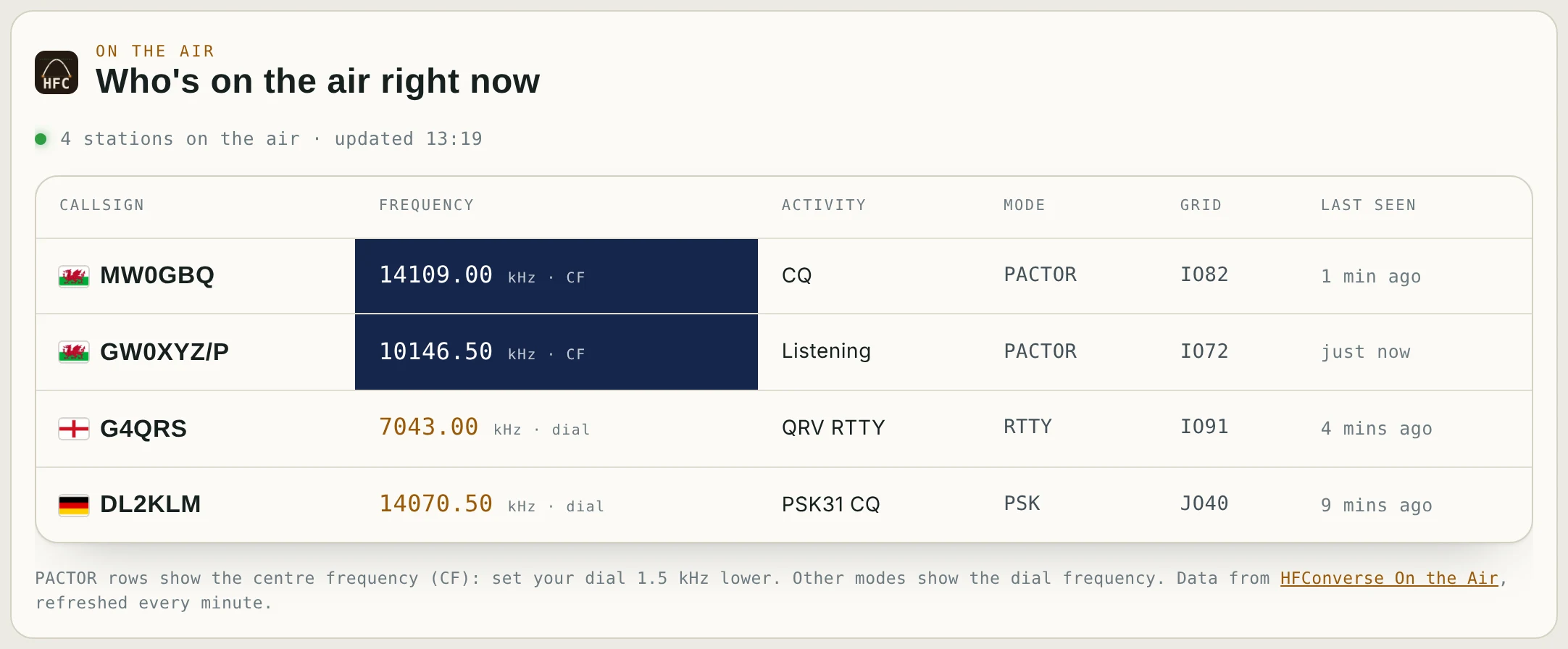
Run Node-RED at home? Import this flow and the On the Air list appears on your own dashboard, with an alert to your phone when a station comes up or changes band. It reads the same public list as this site, once a minute. You don't need an account or a key.
hfconverse-onair-node-red.json · version 1.0 · for Node-RED 3 or later with Dashboard 2.0
What it does
- Shows everyone on the On the Air list: callsign and flag, frequency (CF for PACTOR, dial for the rest), activity, mode, grid and last seen.
- Sends an alert when a station comes on the air, or moves to another band.
- Watches every station, or only the callsigns, bands and modes you choose. Your own callsign is skipped.
- Sends alerts to Pushover, or to anything else Node-RED can talk to: Telegram, ntfy, email.
- A mute switch and a one-hour mute button on the dashboard.
- The first update after Node-RED starts never alerts, so a restart doesn't flood your phone.
You'll need
- Node-RED 3 or later, on any computer that stays on: a Raspberry Pi, a NAS or a spare PC.
- Dashboard 2.0: in Node-RED, Menu → Manage palette → Install
@flowfuse/node-red-dashboard. - Internet access from Node-RED.
- For phone alerts, optionally: a Pushover account.
Set it up
- Download the flow with the button above.
- Import it. In Node-RED, Menu → Import, choose the file, then Import. A new tab called HFConverse On the Air appears.
- Add your settings. Double-click the tab, click the list icon (Environment Variables) and fill in the settings below. All of them are optional.
- Connect the dashboard page. In the Dashboard 2.0 sidebar, edit the page HFC On the Air and set its UI to your dashboard. If you don't have one yet, choose Add new ui-base.
- Deploy, then open
http://<your-node-red>:1880/dashboard/hfc-onair.
Settings
| Setting | What it does | Example |
|---|---|---|
MY_CALL | Your callsign. You won't be alerted about yourself. | GW0XYZ |
WATCH_CALLS | Only alert for these callsigns. Leave it blank for everyone. | G4QRS, DL2KLM |
WATCH_BANDS | Only alert on these bands. Leave it blank for all bands. | 20m, 30m, 40m |
WATCH_MODES | Only alert for these modes. Leave it blank for all modes. | PACTOR |
PUSHOVER_TOKEN | The API token of an application you create at pushover.net. It starts with a. | a1b2c3… |
PUSHOVER_USER | Your Pushover user key, shown at the top of pushover.net. It starts with u. | u1b2c3… |
PUSHOVER_SOUND | Which Pushover sound to play. | cosmic |
Leave the Pushover settings blank if you don't use it. To send alerts somewhere else, add a link in node, connect it to HFC alerts and wire it to your notifier. Each alert arrives with the title in msg.topic, the text in msg.payload and the whole spot in msg.spot.
Please be kind to the server
The flow checks the list once a minute. The list changes slowly, so please leave it at 60 seconds or longer. The flow only reads the public list: it can't announce you or change anything. To appear on the list yourself, turn on On the Air in HFConverse.
Prefer not to run Node-RED? On the Air alerts sends Pushover alerts straight from this site.